
02 / Immersive visitor platform.
The software behind UN Geneva’s new visitor centre
Immersive visitor platform · UN Geneva Visitor Centre · Dorier · 2025–2026
Forty visitors walk through three pavilions, each hearing narration in their own language that follows them from room to room and stays in step with the projections around them, while a guide runs the tour from a tablet. That is Together, the 60-minute experience at the heart of UN Geneva’s new visitor centre, open since June 2026. I was one of the software engineers on the system behind it: the visitor’s audio guide, the guide’s tablet and the Go services that keep every device in sync.
At a glance
- Open to the public since June 2026, with about 200,000 visitors a year expected.
- 3 pavilions · 8 languages · up to 40 visitors per session, every hour.
- Covered at opening by Geneva Solutions, UN Today and geneveMonde.ch. Watch the experience.
From arrival to a shared decision
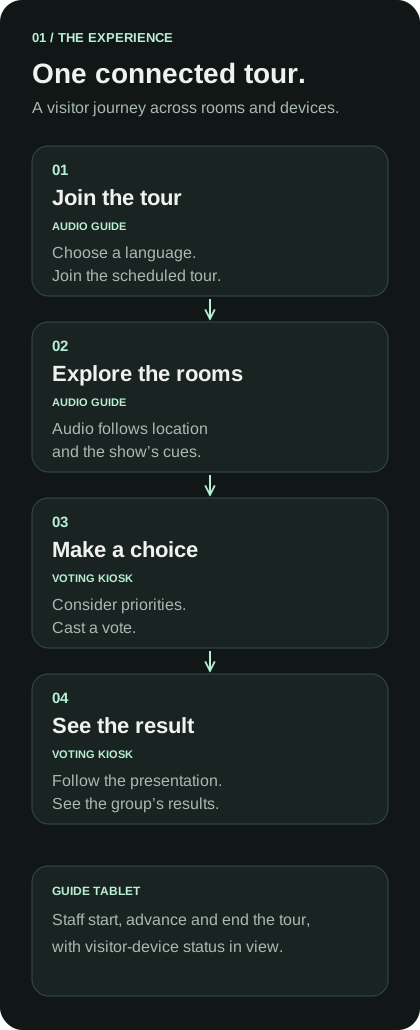
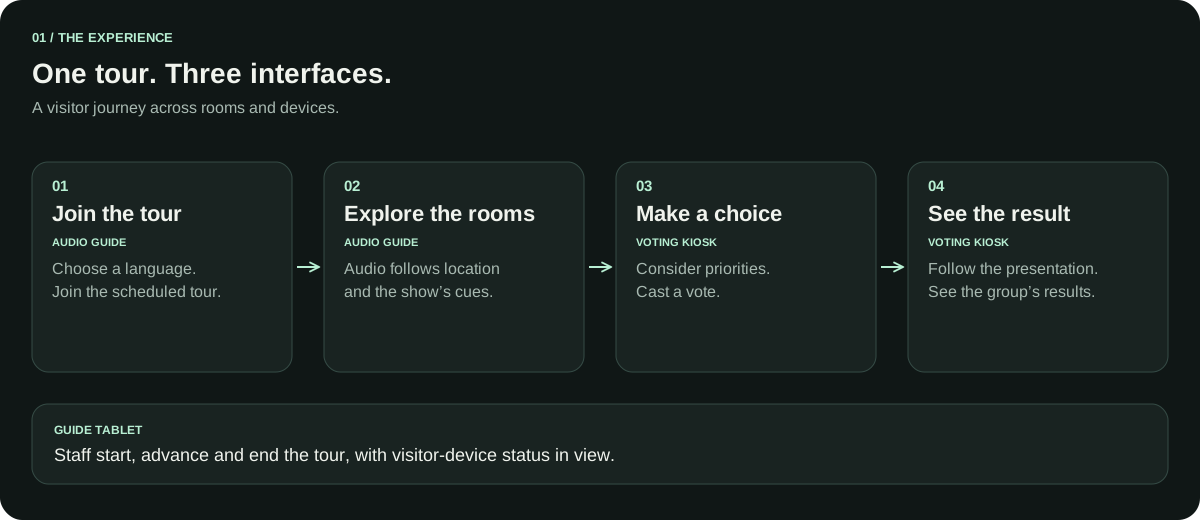
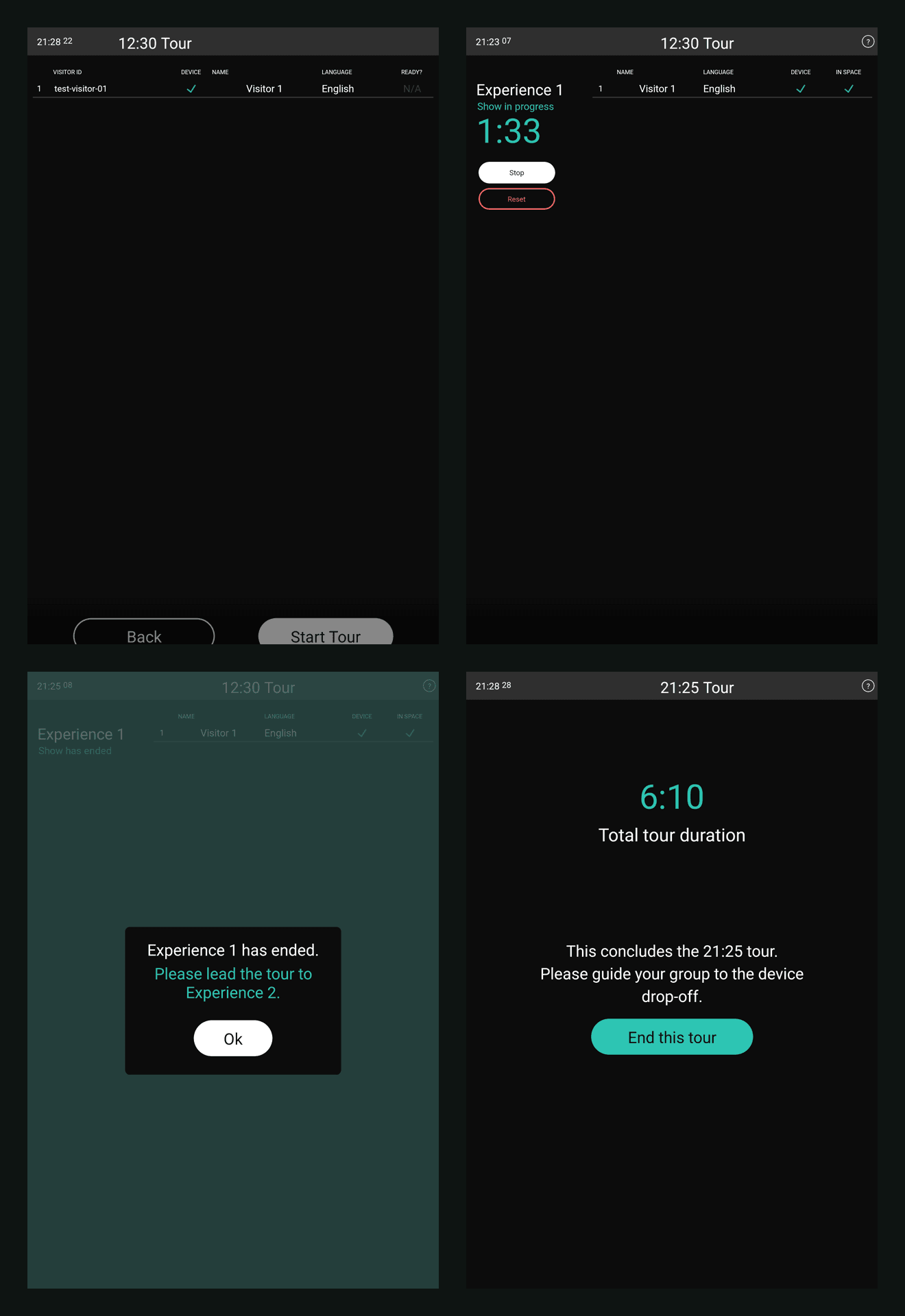
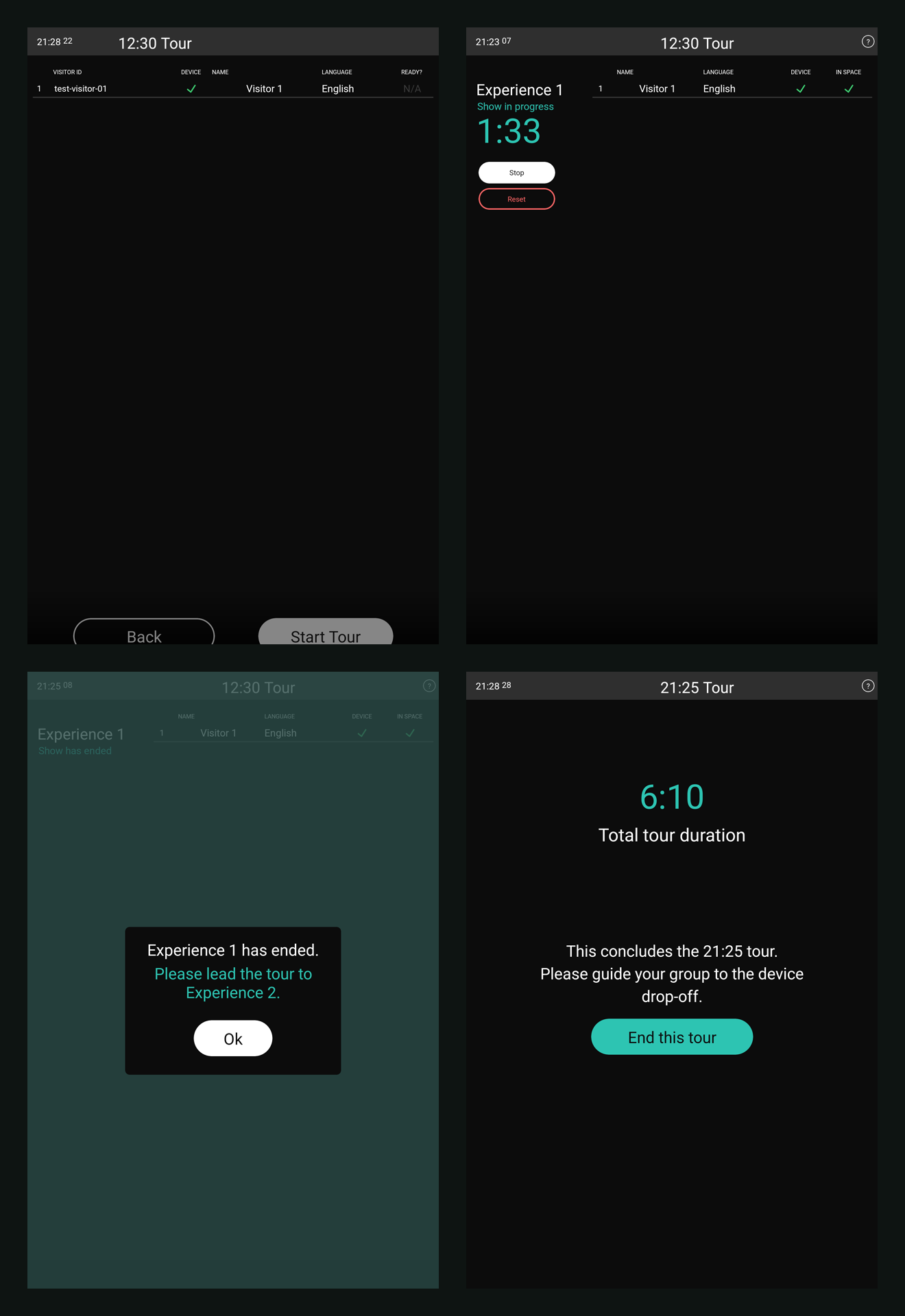
Visitors join a scheduled tour and select a language on their audio guide. The guide’s tablet shows the group and controls progression through the experiences. As visitors explore, the backend combines location updates with show cues to determine the audio state sent to each handheld.
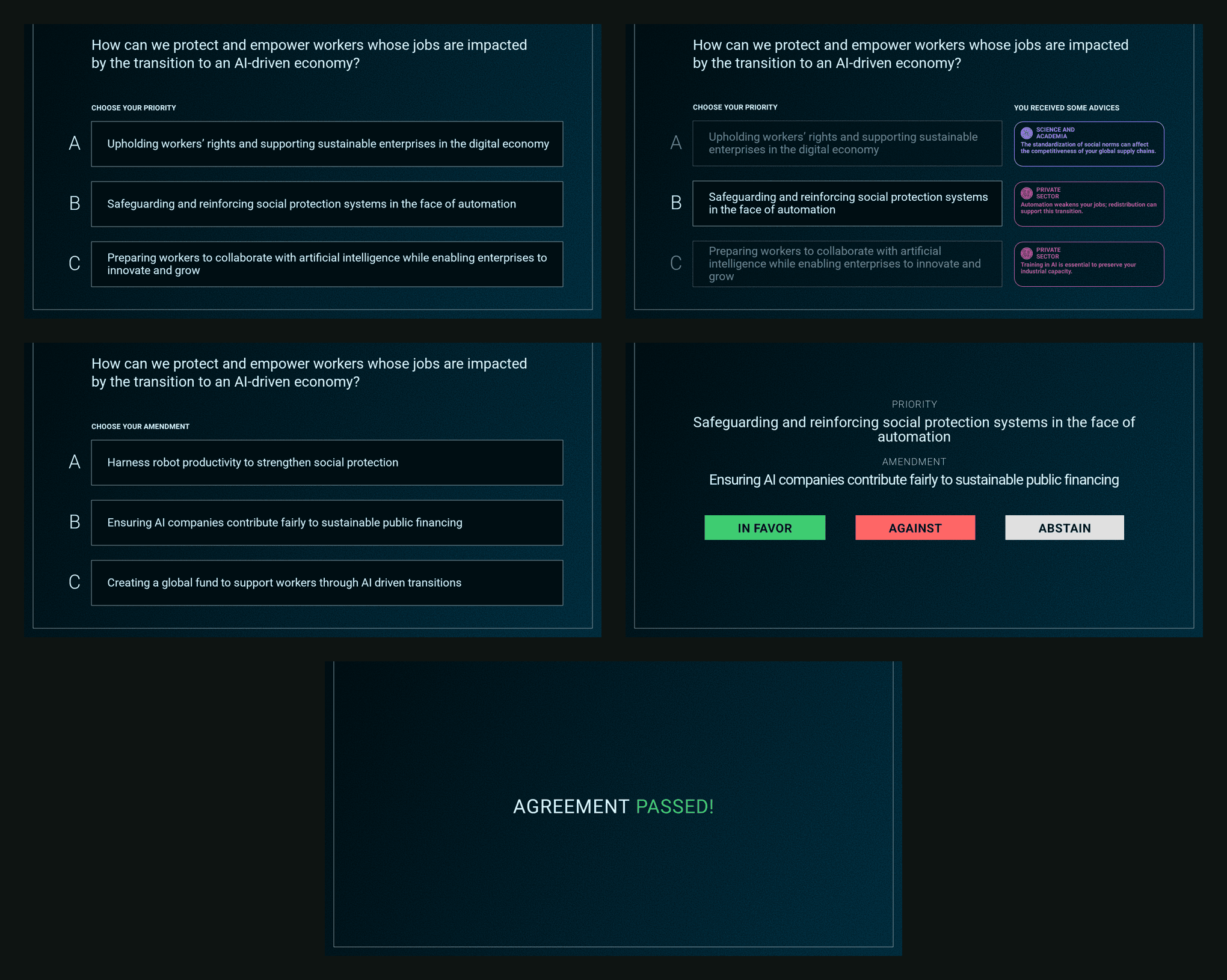
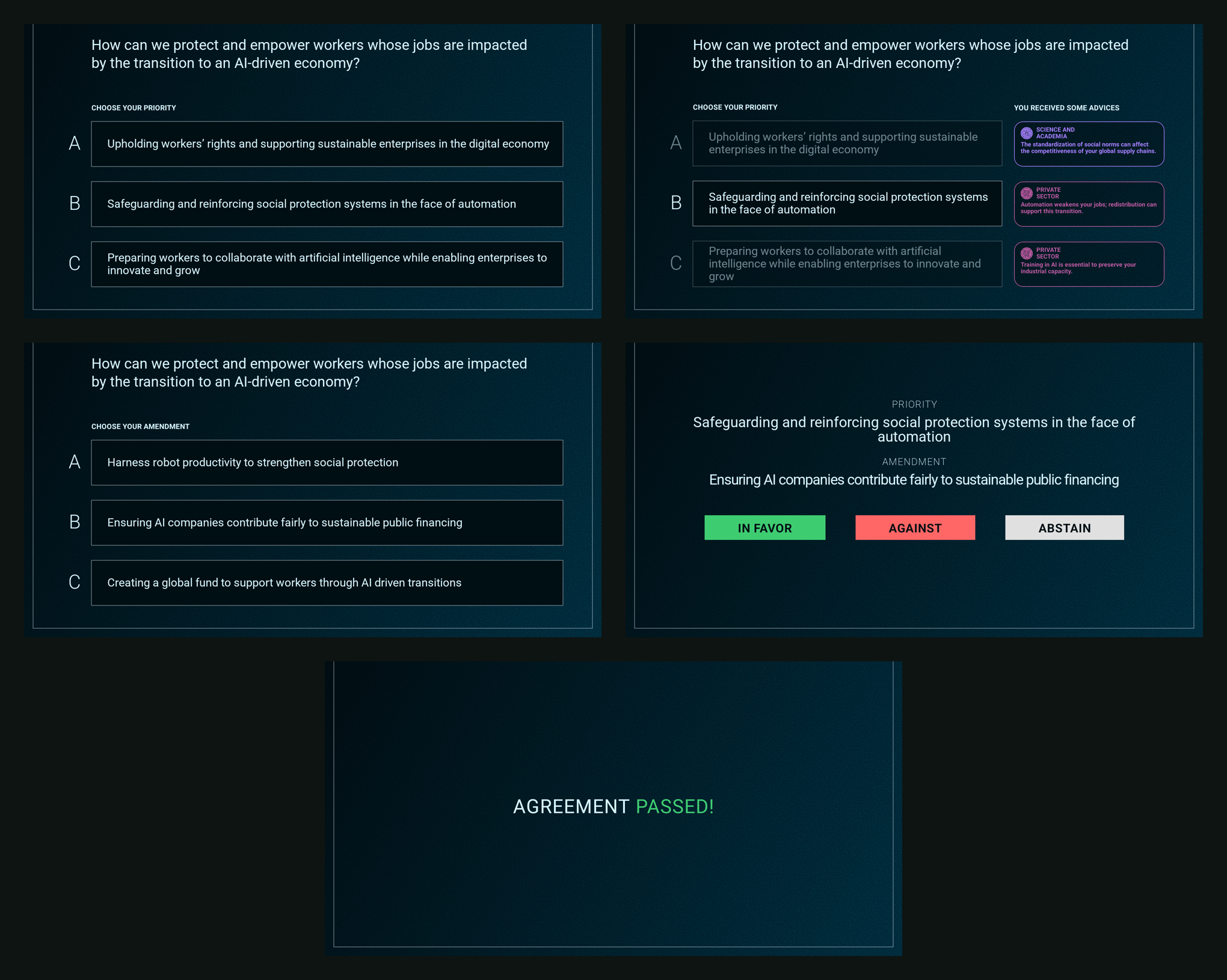
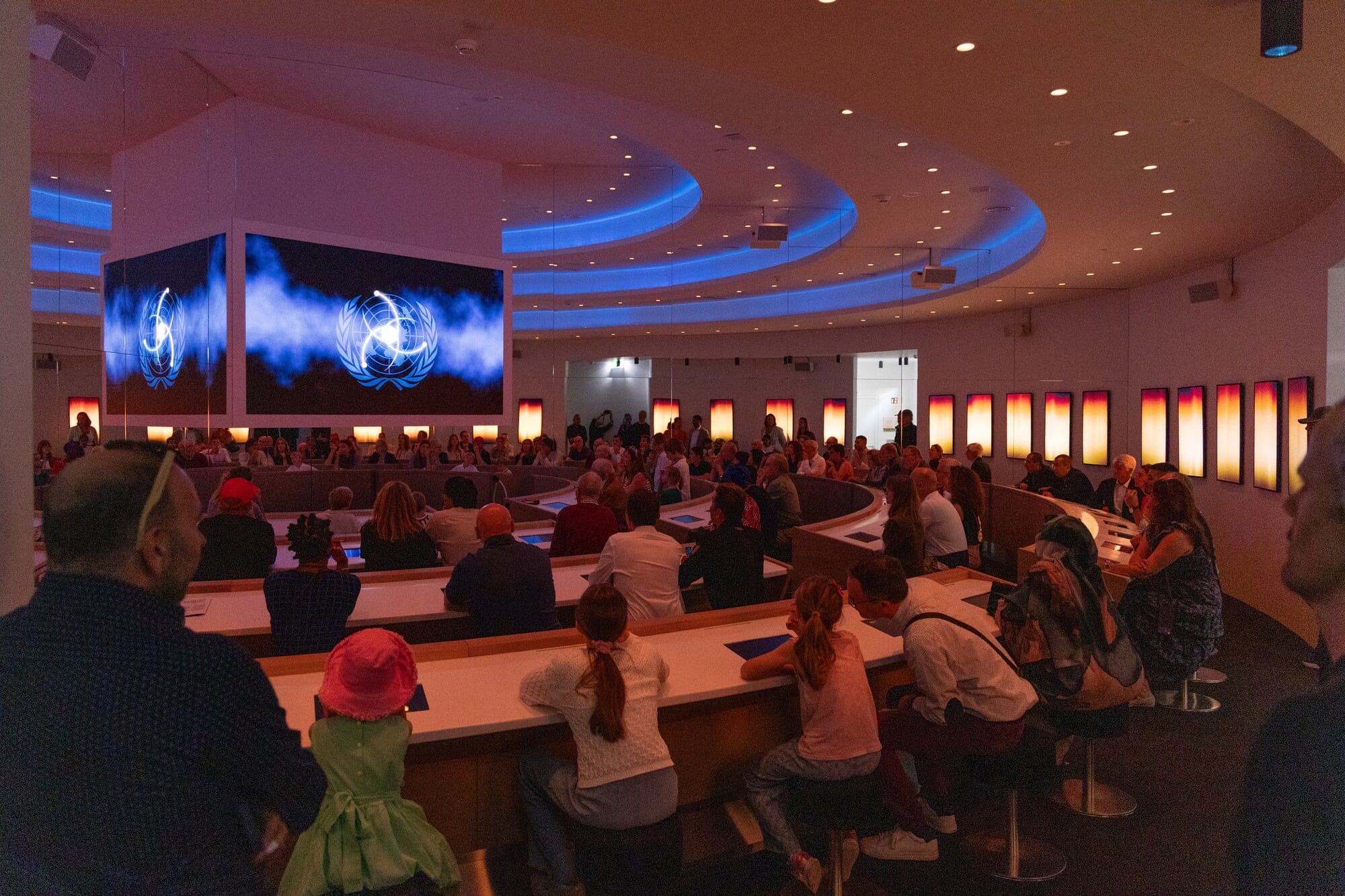
In the final experience, kiosks assign visitors fictional-country roles. Visitors choose priorities, consider amendments and cast a final vote. The kiosks follow the presentation’s cues and display shared results received through the messaging system.
What looks like one continuous experience spans several applications, content services and physical systems. The engineering challenge is keeping those parts aligned as people move, devices reconnect and guides advance the tour.
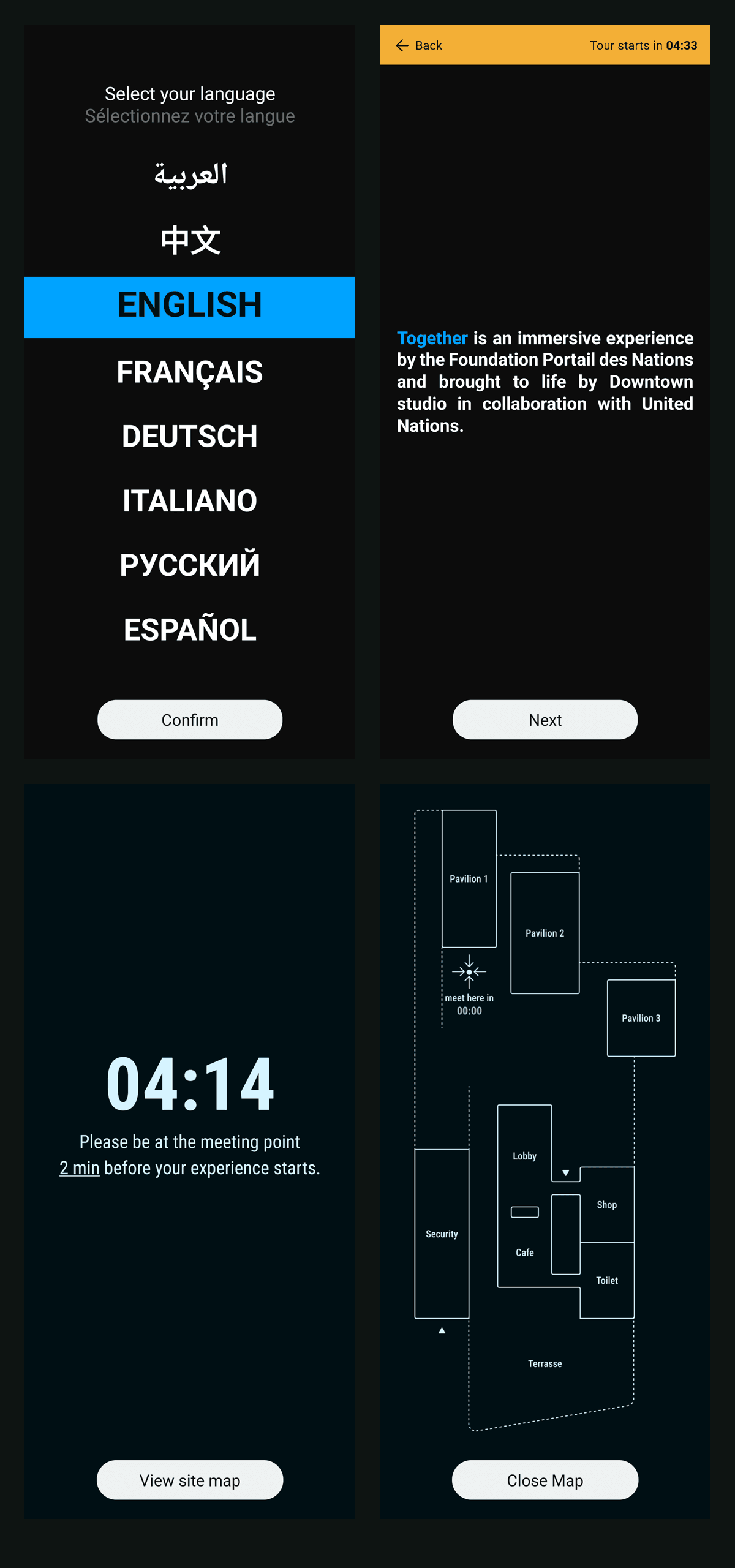
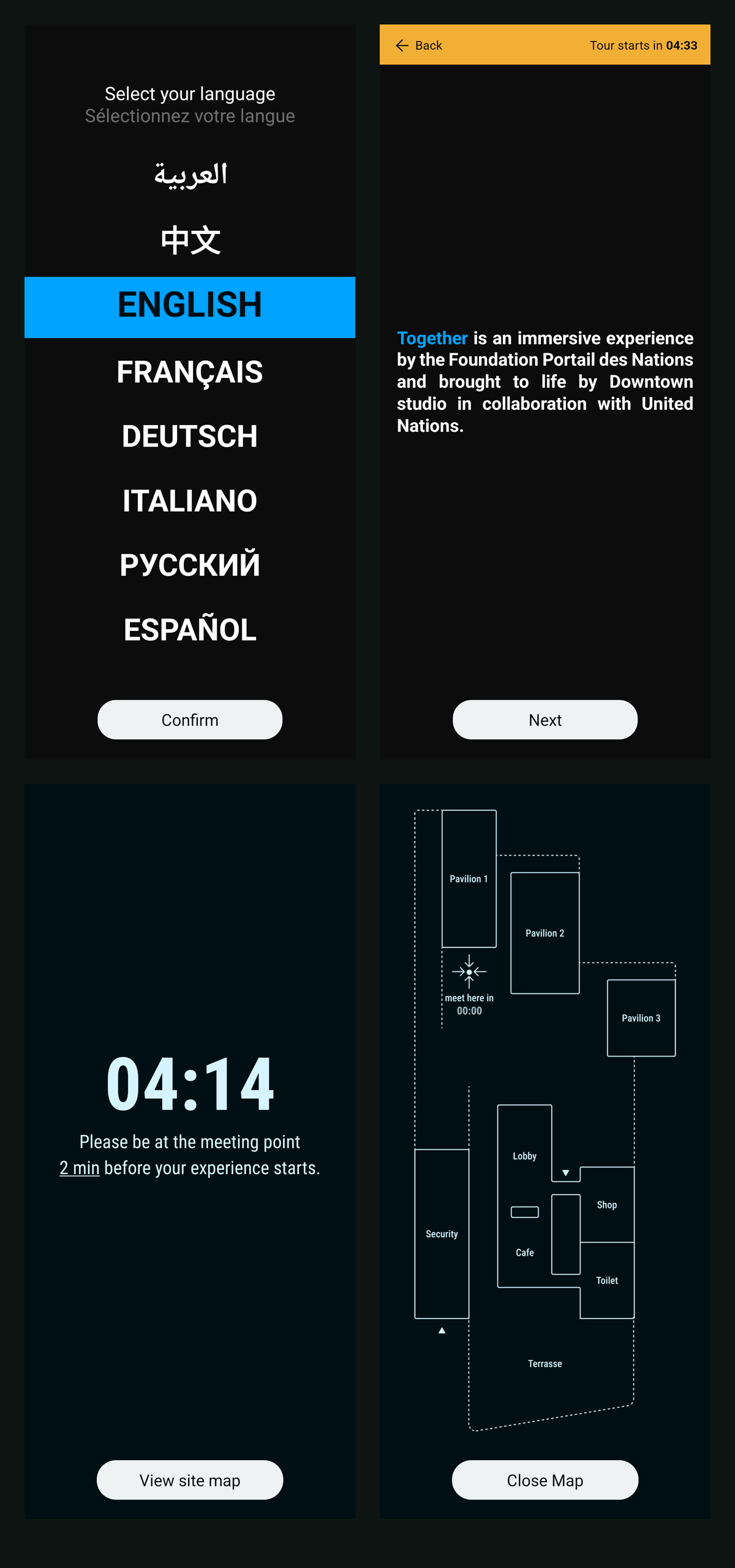
Visitor audio guide
Guide tablet
Voting kiosk
My responsibility
Local Projects built the original platform from January 2024, with software engineers Charles Veasey and Miguel Bermudez. In summer 2025 Dorier’s Creative Technology team took it over and carried it to opening. Filipe Lopes Pires led the engineering team under David Granite, director of Creative Technology, with André d’Melo, Boris Poget, Pierre-Igor Berthet and me as software engineers.
Taking over meant learning a production system we had not written, a monorepo of React Native apps, native Android modules, Go services and a CMS, before changing any of it. Local Projects ran a nine-week handoff from 21 July to 19 September 2025: the repository and core services, the guide’s tablet and audio guide, deployment, show control and positioning, logging and how to modify the apps safely, the voting kiosks, testing procedures and the handoff documentation. Alongside those sessions we read our way through the codebase, tracing each flow from the device to the services and back. My first change landed in week eight. Much of the documentation I later wrote started as the map I needed for that.
I worked across the visitor’s audio guide, the guide’s tablet and the Go tour services: positioning inside the app, audio synchronisation and headphone recovery, device-aware tour control, group language flows, the accessibility mode, the Gathering effect, emergency audio, the per-site release builds, and most of the technical documentation the visitor centre’s team now operates from.
React Native · TypeScript · Kotlin · Go · MQTT · Payload CMS · PostgreSQL
How the platform fits together
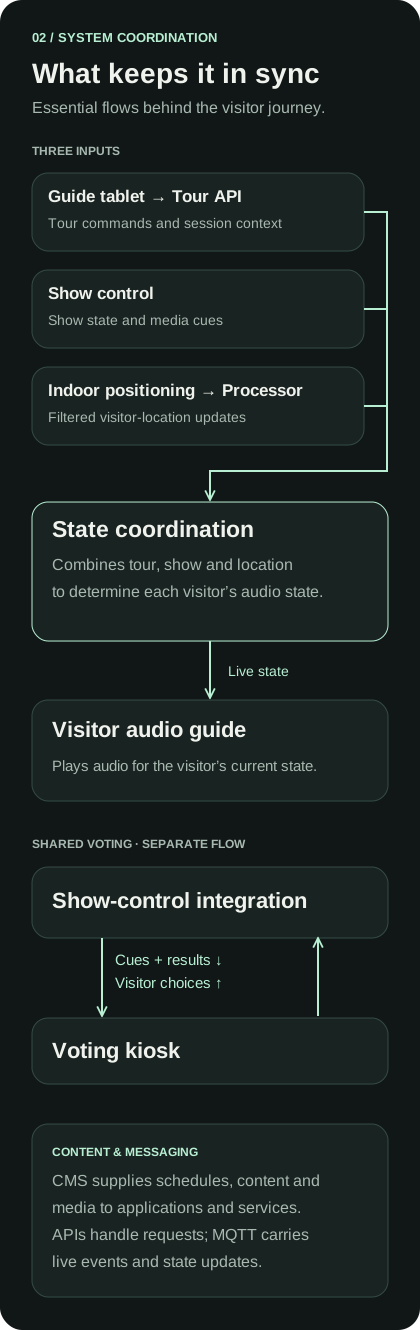
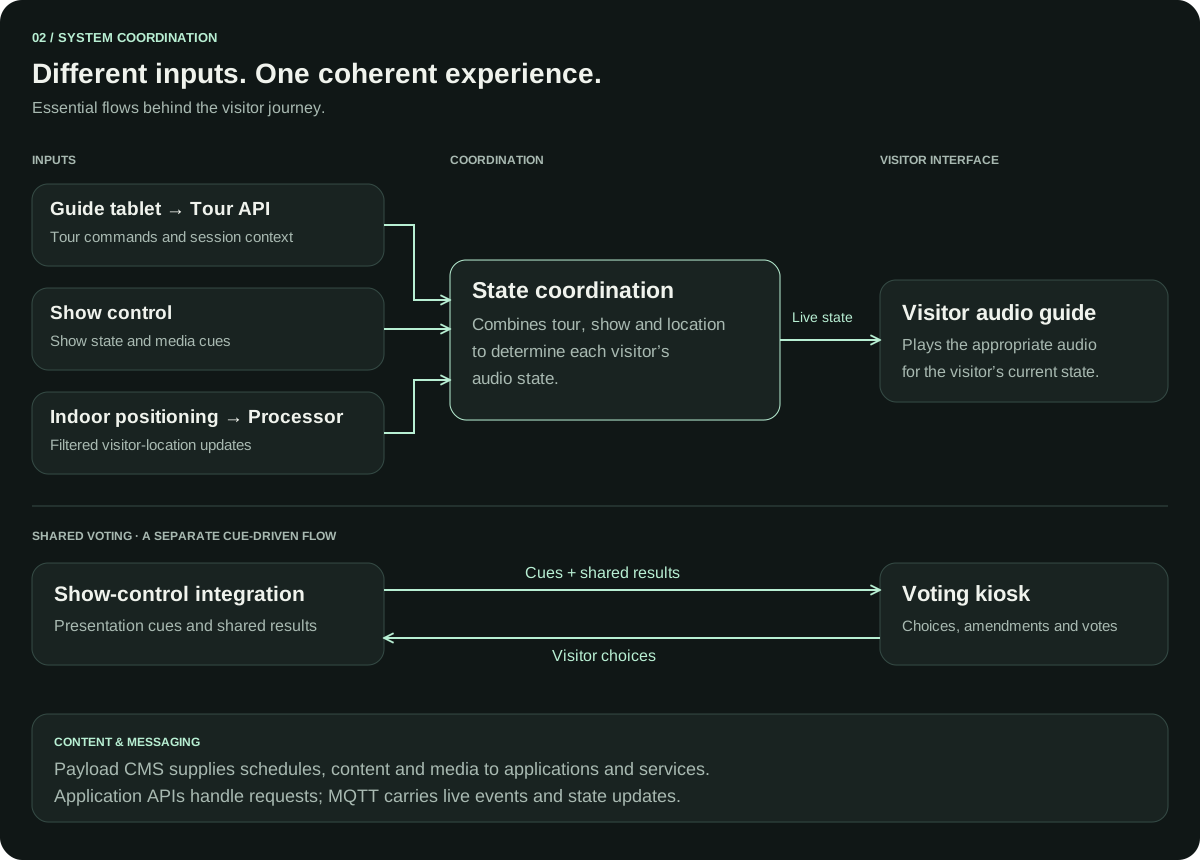
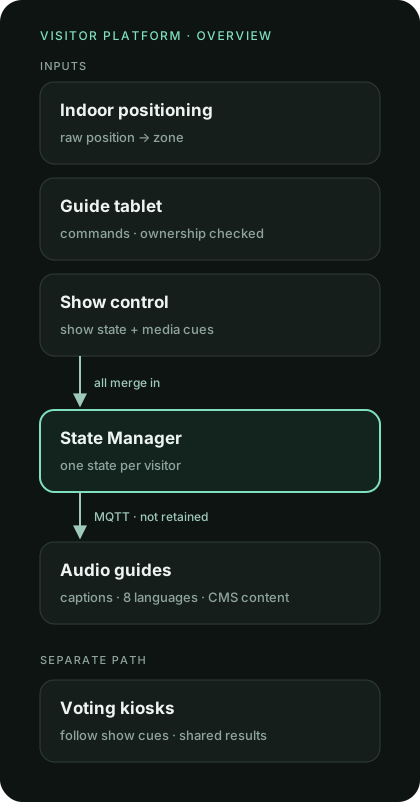
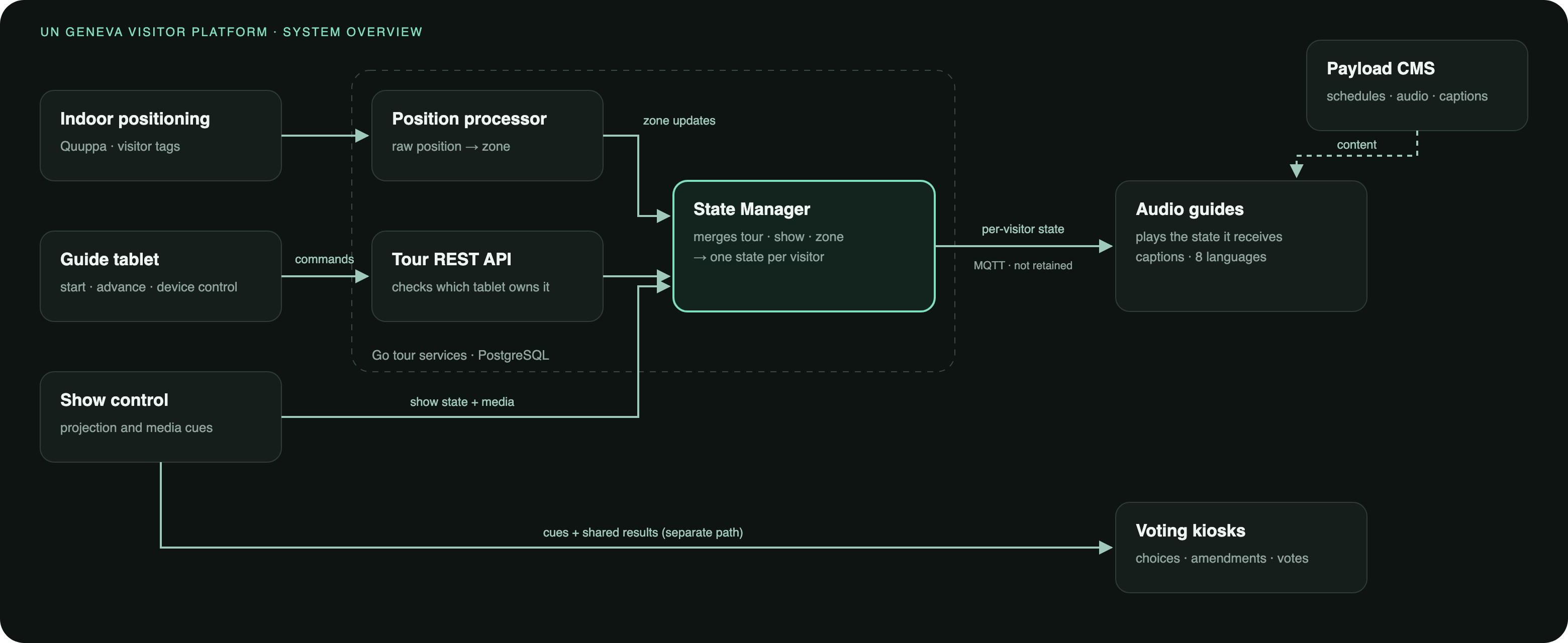
One rule shapes the system: the devices render the state they are told; they never decide the flow. The guide’s tablet and show control drive the tour, one State Manager computes each visitor’s state, and every handheld and kiosk simply displays what arrives over MQTT. That rule is what lets 40 devices stay in step. A device that drops out never has to reconstruct the tour: it picks up from the next state it is sent, or the guide forces a resync from the tablet.
The audio guide, guide tablet and voting kiosk serve different roles. Tour services coordinate session and visitor state; the CMS supplies schedules, content and media. Live messages carry tour updates, show cues and kiosk choices alongside the application APIs.
Two external inputs matter to the experience: show control provides presentation state and media cues, while indoor positioning provides visitor-location updates. The backend uses those inputs to compute the state delivered to each audio guide. The kiosk follows its own cue-and-result flow rather than calculating the room’s result locally.
My work covered application and service integration. Colleagues owned show-control configuration, positioning hardware and calibration, device management and site infrastructure.
Detailed system architecture
Keeping positioning inside the visitor app
The audio guide originally depended on a separate positioning app running in the background. Android could stop that process independently of the visitor application.
I integrated the positioning SDK through a Kotlin module exposed to React Native. The application starts Bluetooth advertising during registration, restarts it during session recovery and stops it during tour cleanup. The integration includes Android Bluetooth permission handling.
This brought the positioning lifecycle into the application using it. It still depends on device permissions and operating-system behaviour; it does not replace the venue’s positioning hardware or calibration.
Keeping audio aligned with the experience
Correcting drift and stale volume changes
An unchanged media reference could leave playback running without applying newer timing information from the show. I added a periodic comparison between the expected position and the audio player’s actual position, seeking when the difference exceeds the correction threshold.
The implementation checks every five seconds and corrects differences above 400 milliseconds. Those values describe the correction policy, not a measured guarantee of synchronisation accuracy.
I also added cancellation for outdated volume fades. A previous fade-to-silence should not continue after a new playback action has set the volume.
Recovering when headphones reconnect
Unplugging headphones can pause Android playback without a matching automatic resume when they are plugged back in. I added a native audio-output detector and connected it to the existing synchronised playback path, so reconnection could resume from the current show position.
The handler avoids restarting audio during a pending recovery, priority audio playback or an already-playing state.
Handling visitors who are already in place
A visitor should not need to move again just because the show has entered its exploration phase. I added backend handling that resolves the visitor’s already-known exhibit zone when that phase begins and publishes the corresponding audio state.
This handles two independent triggers, show progression and visitor movement, without requiring them to arrive in a particular order.
Making tour ownership part of the client–server contract
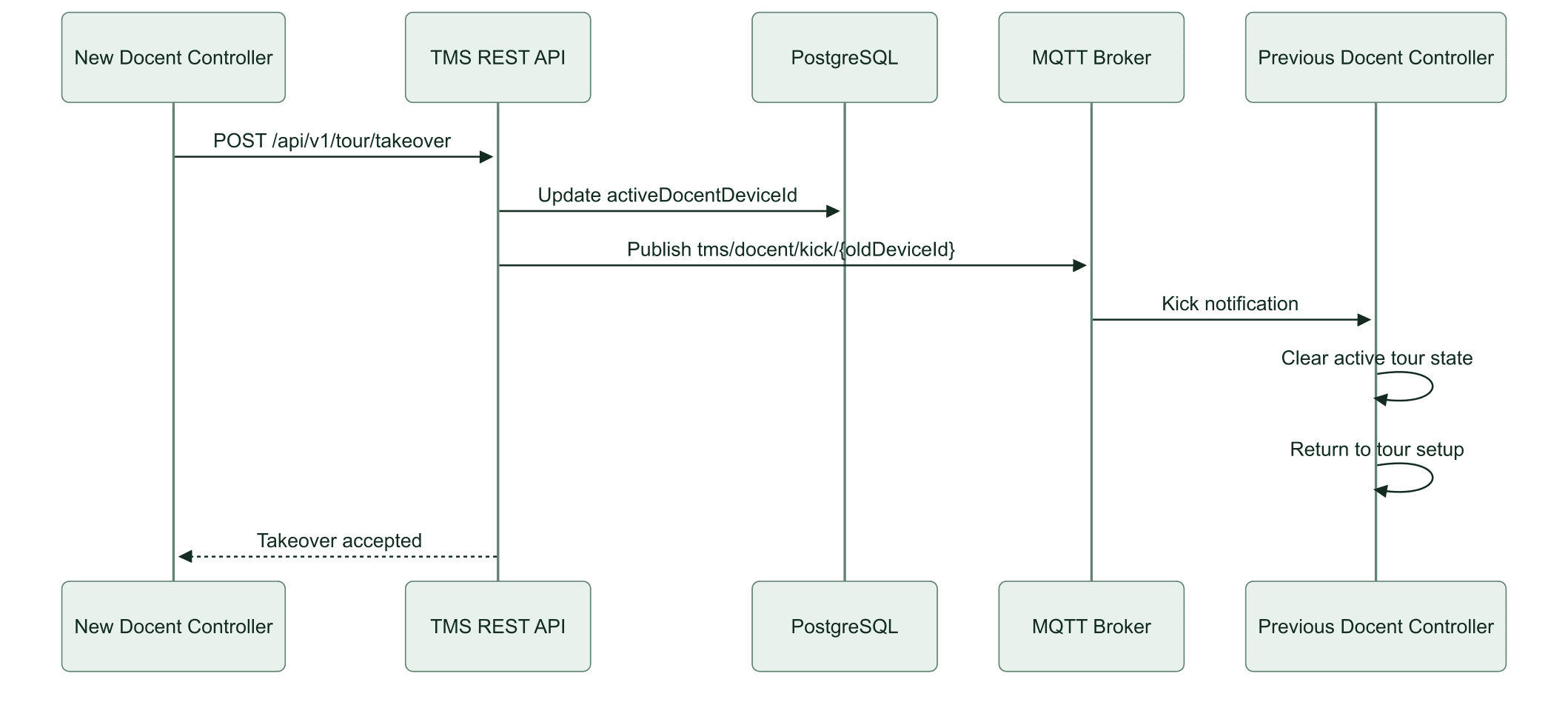
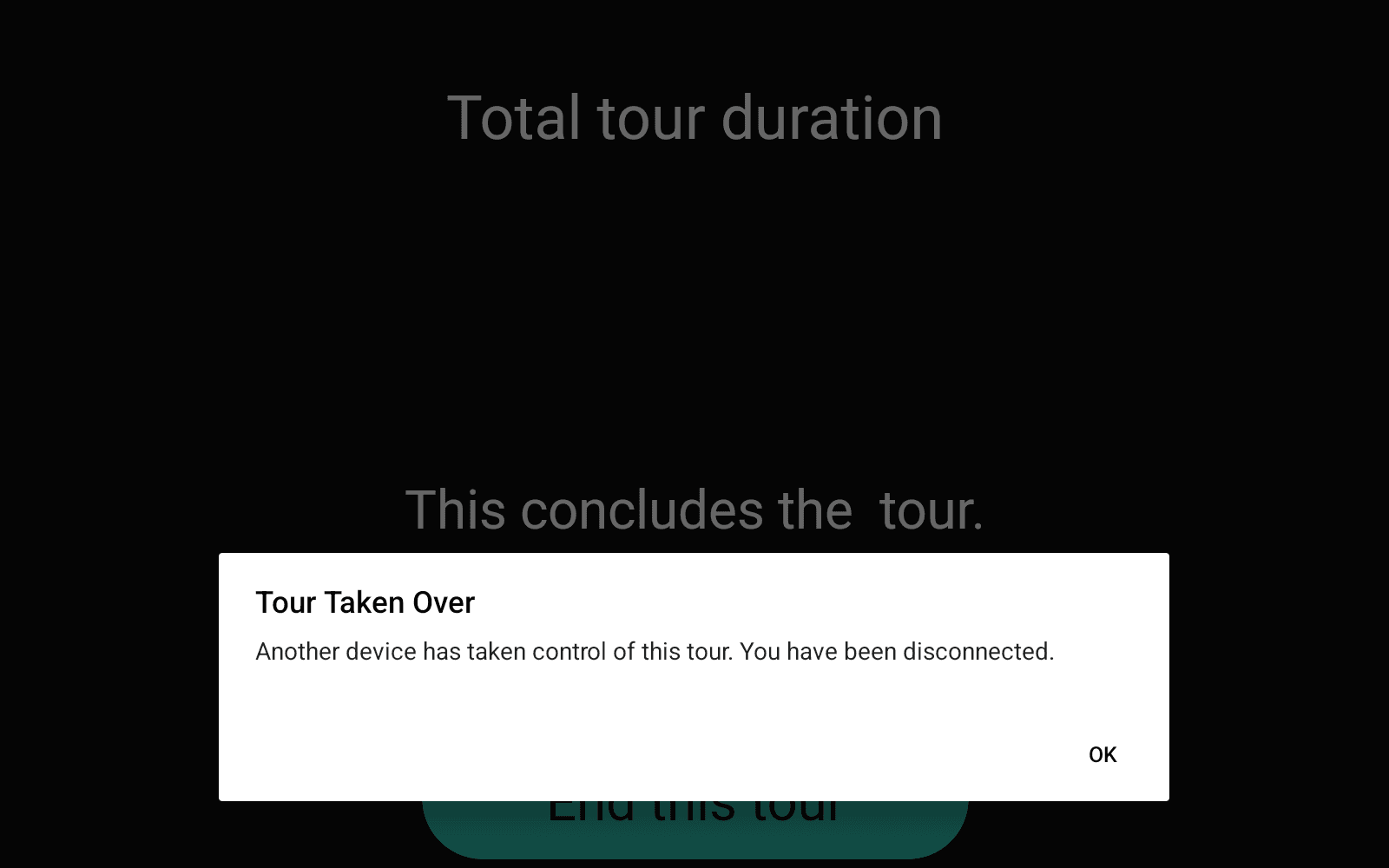
Two tablets can both appear to control a tour if ownership exists only in their interfaces. I implemented device-aware requests and server-side ownership checks, connecting a guide’s action to the device assigned to the tour.
For a claimed active tour, the checks reject a missing or conflicting device identity. Unclaimed and inactive tours follow compatibility paths. I also added handling to preserve an existing guide-device claim when another create request arrives.
The distinction matters: a local screen can request a change, but the service must decide whether that change is allowed.
Guide tablet
Carrying language and content through the stack
Group tours needed a shared show language carried consistently from scheduling to playback. I connected that setting across CMS fields, the guide tablet, Go services, database storage and messages sent to show control.
I also extended multilingual content handling and integrated approved translations into the CMS data, shared types and kiosk content path. My contribution covered the engineering and integration of that content, alongside caption behaviour and asset work.
These changes crossed boundaries that are easy to miss when applications are treated separately: a field selected by staff must retain the same meaning in the API, stored tour and presentation system.
A show that works without sound
Deaf visitors needed the full experience, with captions that stay timed to the show. Instead of building a separate caption clock, I kept the audio pipeline running muted, so captions follow exactly the same timeline as everyone else’s audio. A setup question turns the mode on; it skips the sound check, offers caption size and background options, and survives an app restart. Closing a leak where zone audio could still play in deaf mode was part of the same work.
Guide tablet
The Gathering: position becomes light
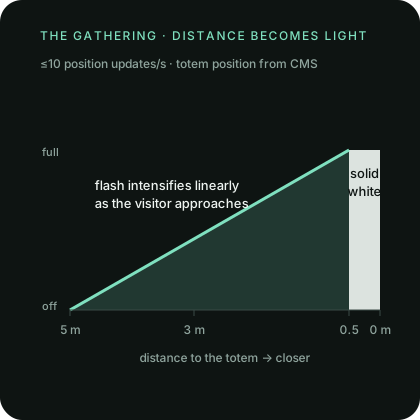
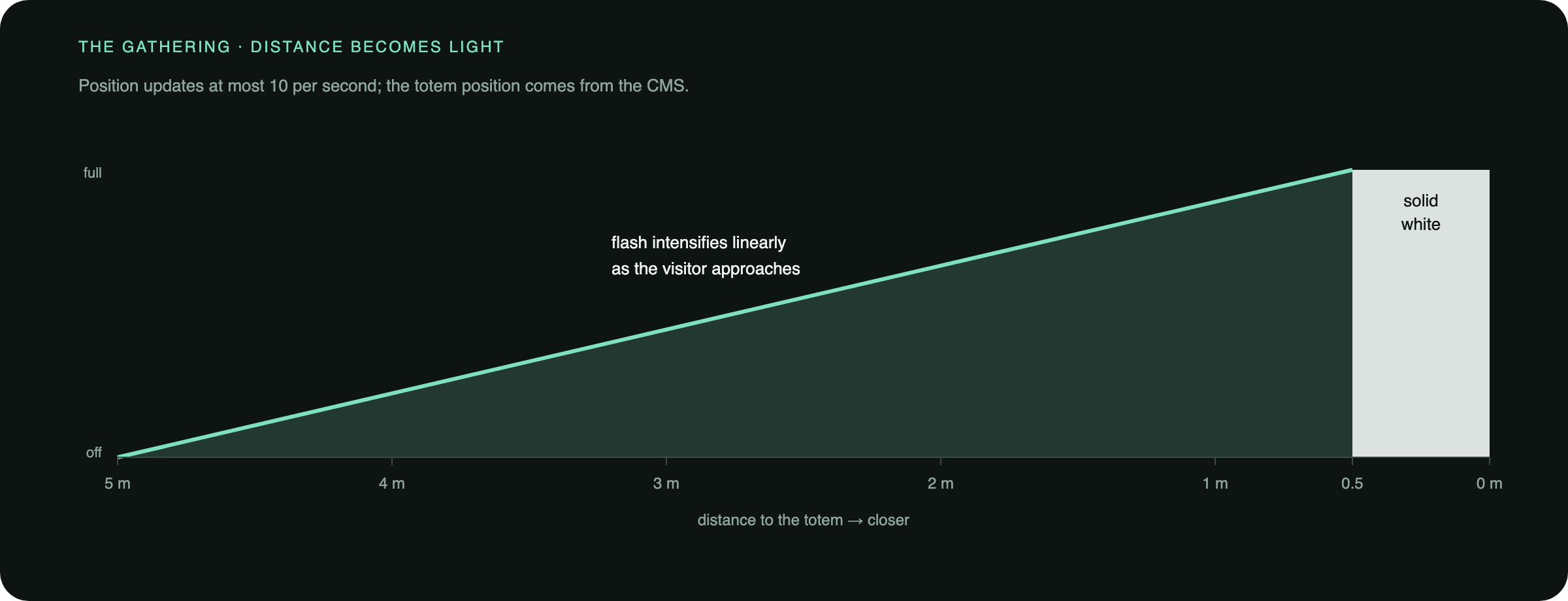
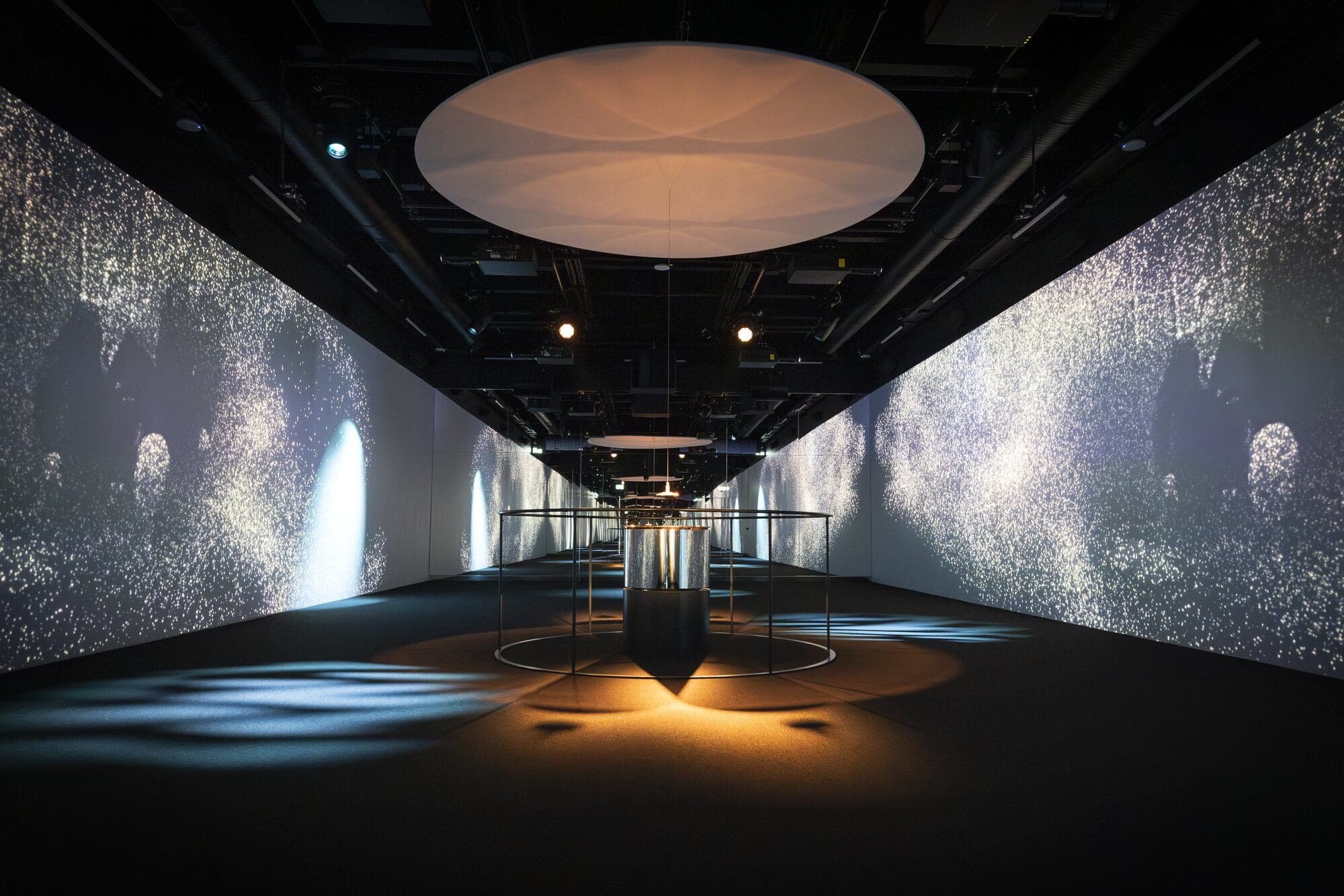
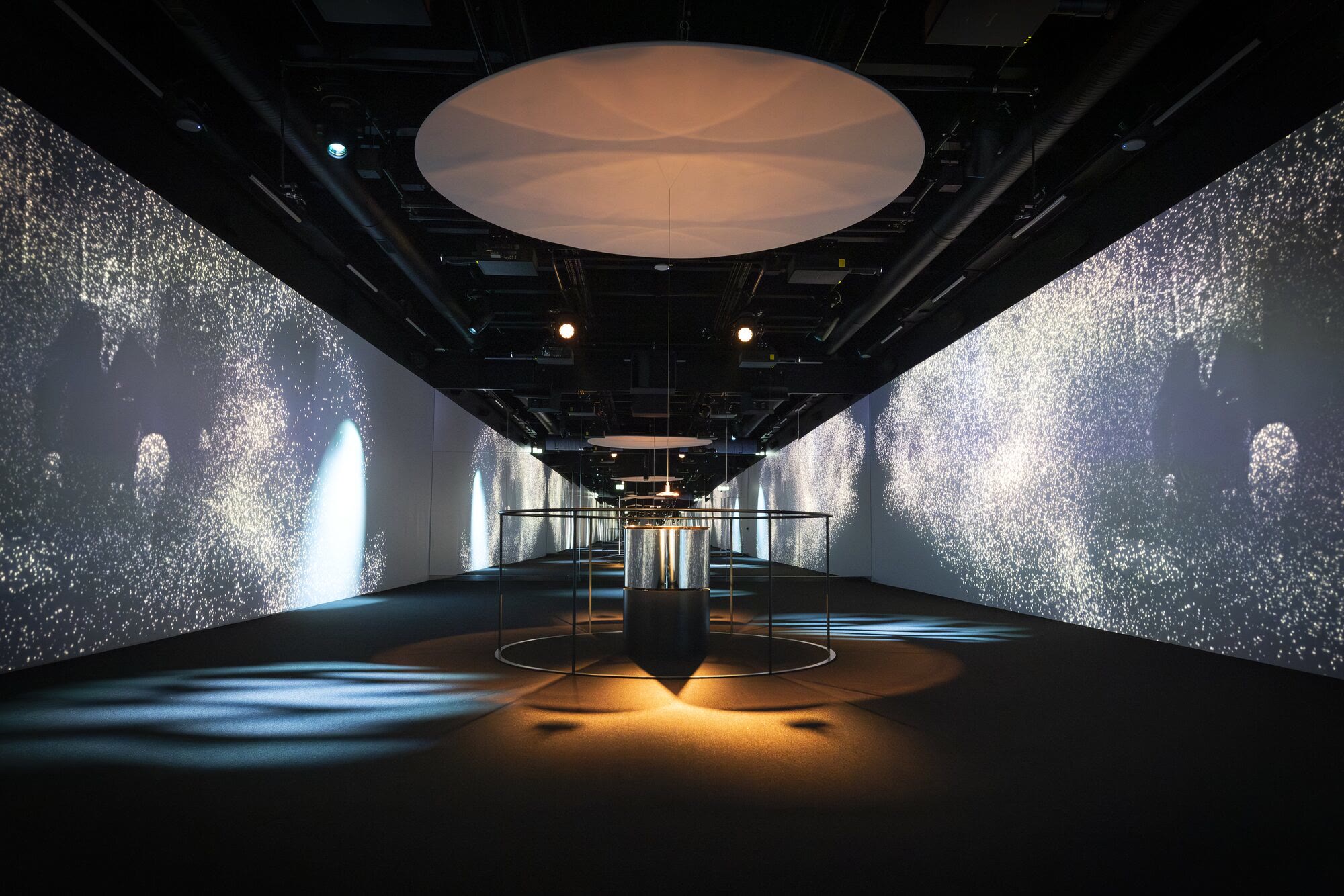
In the first pavilion, visitors are drawn towards a central totem. Each handheld turns the indoor-positioning stream into a flash that intensifies as the visitor gets closer, scaling from 5 metres down to 0.5 metres and turning solid white when they arrive. Position updates are throttled to 10 a second and reference-counted across screens.
Two bugs shaped it: the flash stopping at 3 metres, and position messages corrupting the tour server’s state and breaking audio. The first fix for the second bug was reverted and then reworked. The totem’s position now comes from the CMS, and a stress test with simulated positions covers the path.
Emergency audio: built and tested
Operators needed a way to interrupt every visitor’s audio safely. I built it end to end: database migrations, a Go service and REST API with tests, a CMS collection of pre-recorded messages, MQTT delivery to every handheld, and an emergency button on the guide’s tablet. Operator announcements lower the background to 30% and the foreground to 50%; evacuation messages cut everything and loop. Messages are stored on the device so they play even when the network does not, at the cost of keeping that content in sync.
The feature is complete and tested; when to activate it is the site’s decision.
Giving staff tools to operate the system
I added a device-flag flow that connects an action on the audio guide to a backend update and a visible indicator on the guide’s tablet. It gives staff a way to identify a particular visitor device within the group.
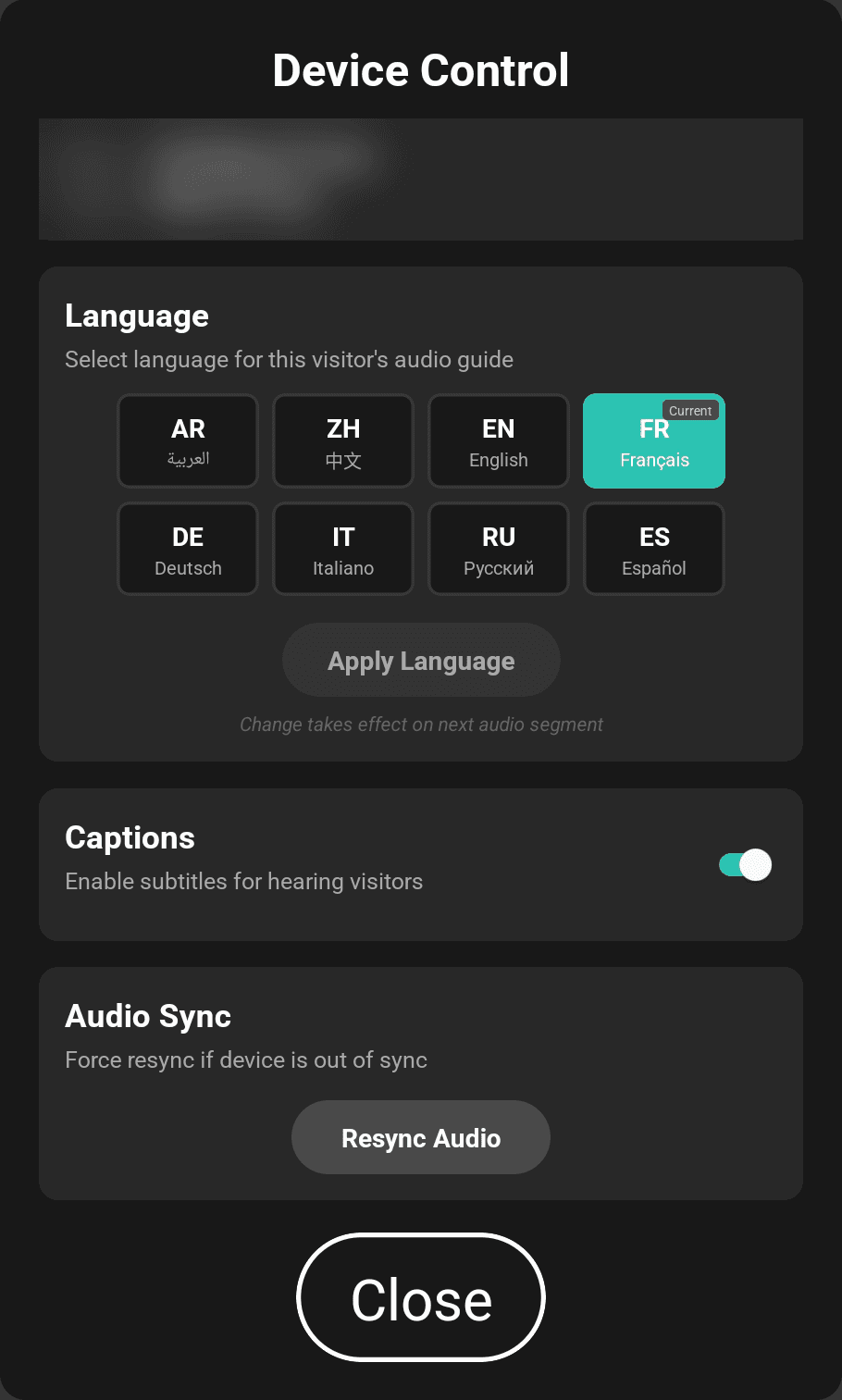
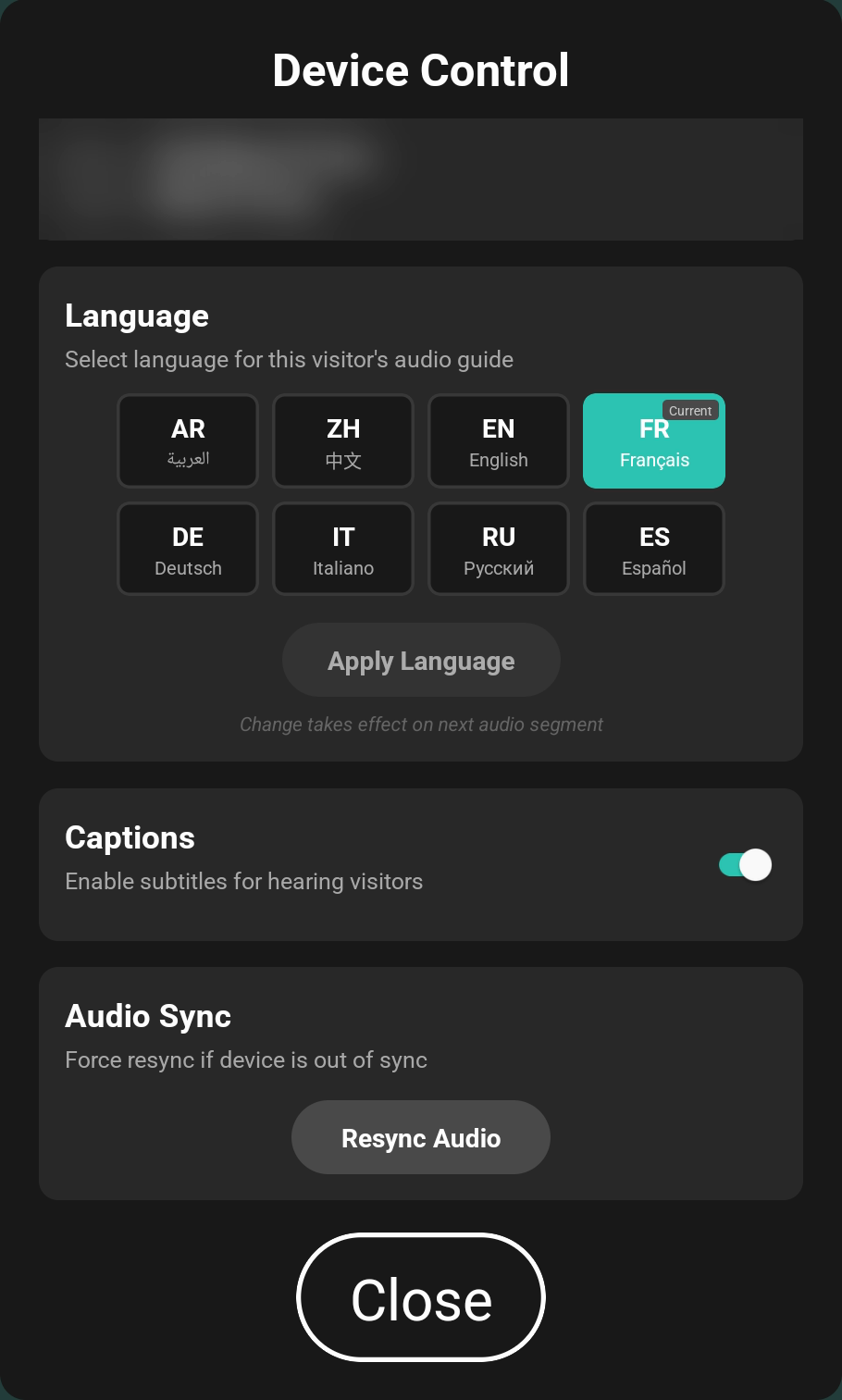
My work also included remote language and caption controls, recovery improvements, persistent device logging and in-app user-guide viewers. Updated guides were subsequently bundled into the application source.
These features support the people running the experience as well as the people taking part in it.
Making the platform understandable after handover
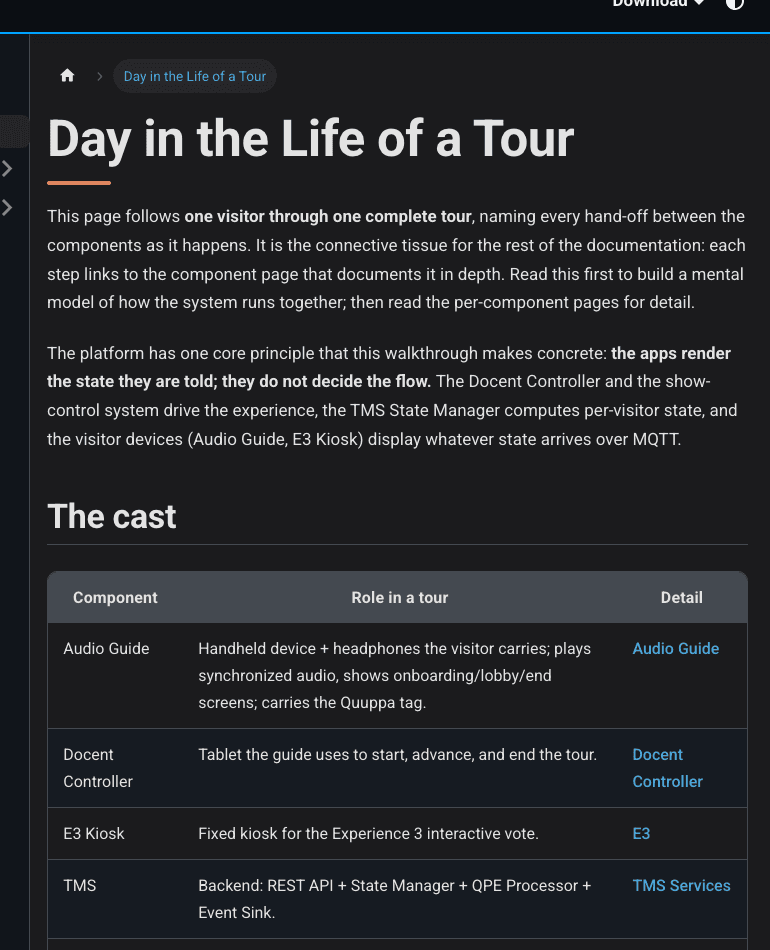
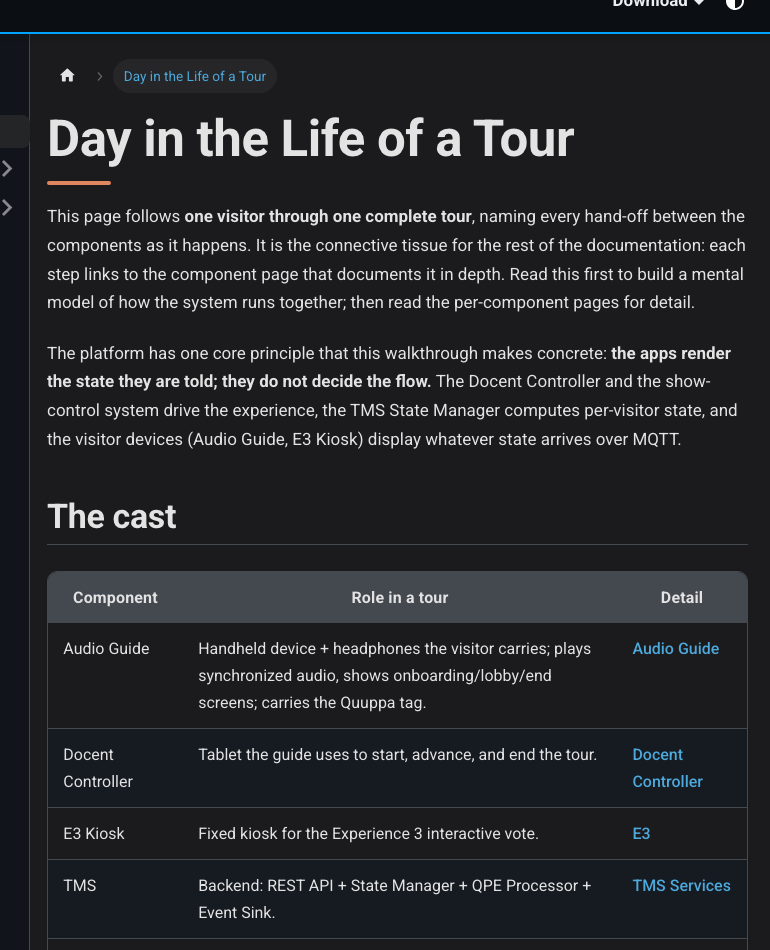
I assembled the technical documentation around how the system actually fits together: application journeys, backend services, API and messaging contracts, verification steps and operating procedures.
That includes the four user manuals the visitor centre’s staff work from, for the audio guide, the guide’s tablet, the voting kiosk and the CMS: 82 pages and 56 annotated screens. I verified each one against the running application and recorded what I checked in a separate verification report, so the manual describes the system as it behaves rather than as it was designed.
The documentation connects source inspection with recorded API checks and application walkthroughs. It distinguishes verified behaviour from remaining checks and identifies where a subsystem belongs to another specialist.
That distinction is part of the handover itself. The next engineer or operator needs to know both how a flow works and where to look when one part stops behaving as expected.
Testing and release
I wrote most of the platform’s automated tests across the audio guide, the tablet and the Go services, plus load-test plans that simulate visitor positions and emergency messages. Release builds are reproducible per site: one script per venue bakes in its configuration and restores the workspace afterwards.
What this work demonstrates
Together has to work for up to 40 people at once, every hour, for an expected 200,000 visitors a year, run day to day by the visitor centre’s own operations team. The hard part was never one screen. It was keeping each visitor’s audio, position, language and the show’s cues in step across handhelds, a guide’s tablet, kiosks and three pavilions, and recovering cleanly when a device or a headset drops.
I took over an established platform from another studio, extended it across the mobile apps and Go services, built the accessibility mode, the Gathering effect and emergency audio, and wrote the manuals and documentation the visitor centre now runs it from.